Chapter 5 of 8
Data extraction for systematic reviews: fields, full text, and verification
2 min read · Updated
In short
Key takeaways
- Define extraction fields before extracting; the field list should be driven by what your synthesis and reporting actually require.
- Extraction fields determine what your results section can support — they are the backbone of evidence tables and figures.
- Dual independent extraction with discrepancy resolution is the quality standard, mirroring dual screening.
- AI-assisted extraction should attach an exact quotation or pointer to the source passage so reviewers can verify quickly and keep an audit trail.
- Machine-filled values are drafts. Verify against the source, especially outcomes, numeric results, and nuanced design features.
After screening, the workflow moves to full-text data extraction. The planning step is to define extraction fields—the structured items you will capture from each included study (for example population, intervention, outcomes, effect sizes, risk-of-bias items, or any data your synthesis needs).
AIPRA helps teams decide which fields matter most by starting from your research question and asking a short set of targeted questions. Those answers steer the field list toward what will actually feed your analysis and reporting.
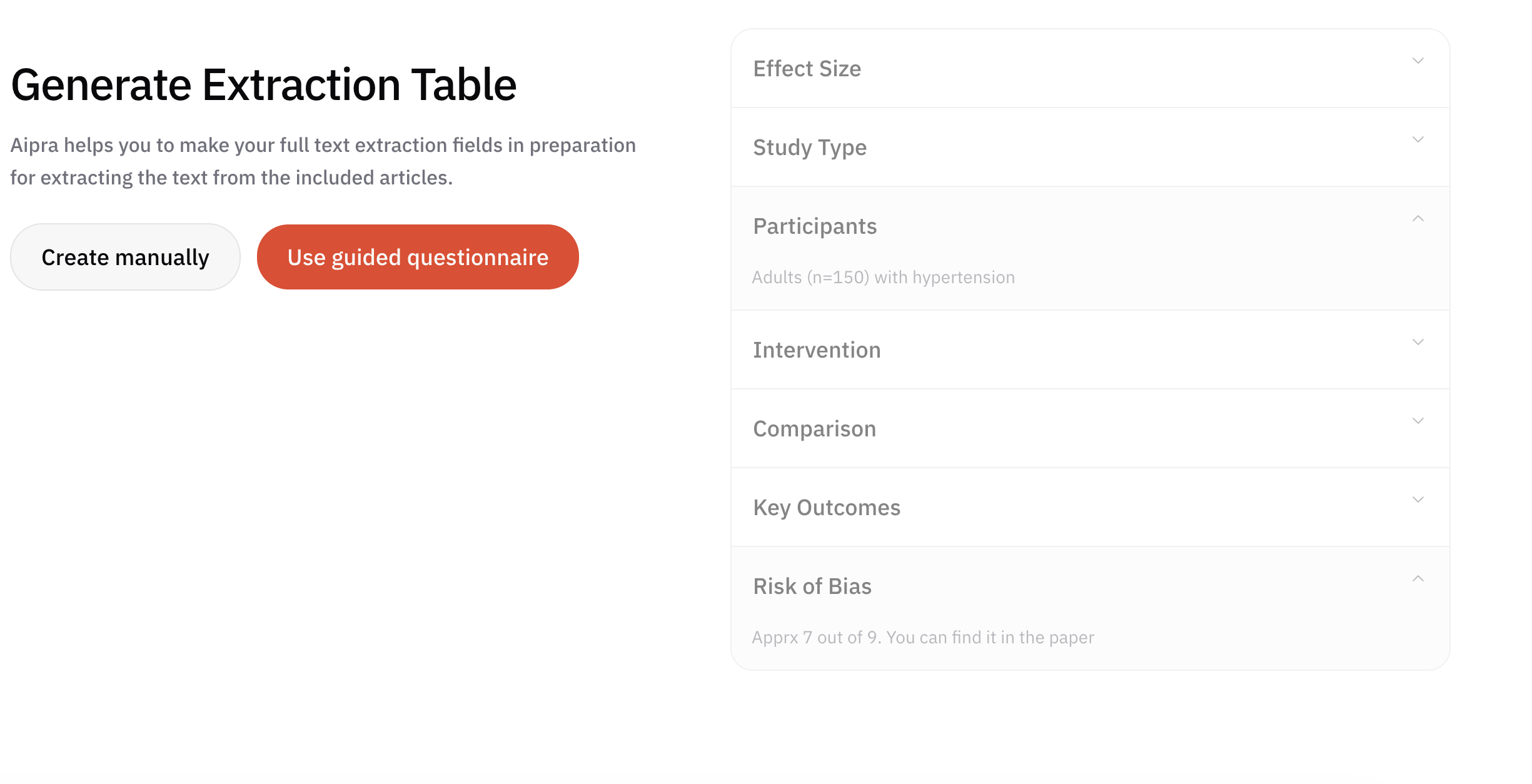
Well-chosen fields define what your results section can support: they are the backbone of the evidence tables, figures, and narrative synthesis readers will see later.
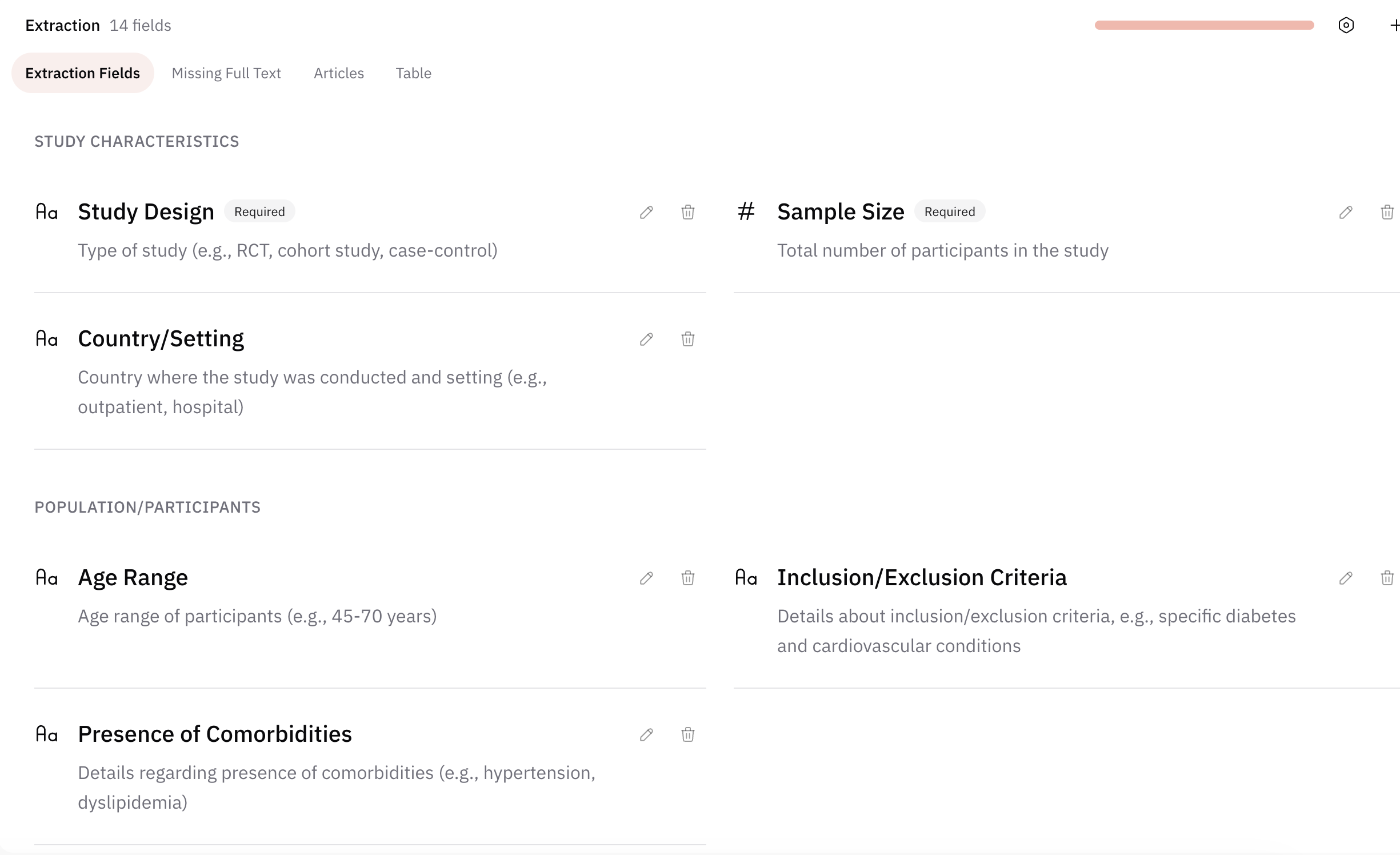
Running extraction from full text
Once fields are fixed in the protocol, reviewers extract values from each study’s full text into those fields. For quality and accuracy, many teams use two independent reviewers per study (or per field), with a process to compare entries and resolve discrepancies—similar in spirit to dual screening.
AIPRA-assisted extraction
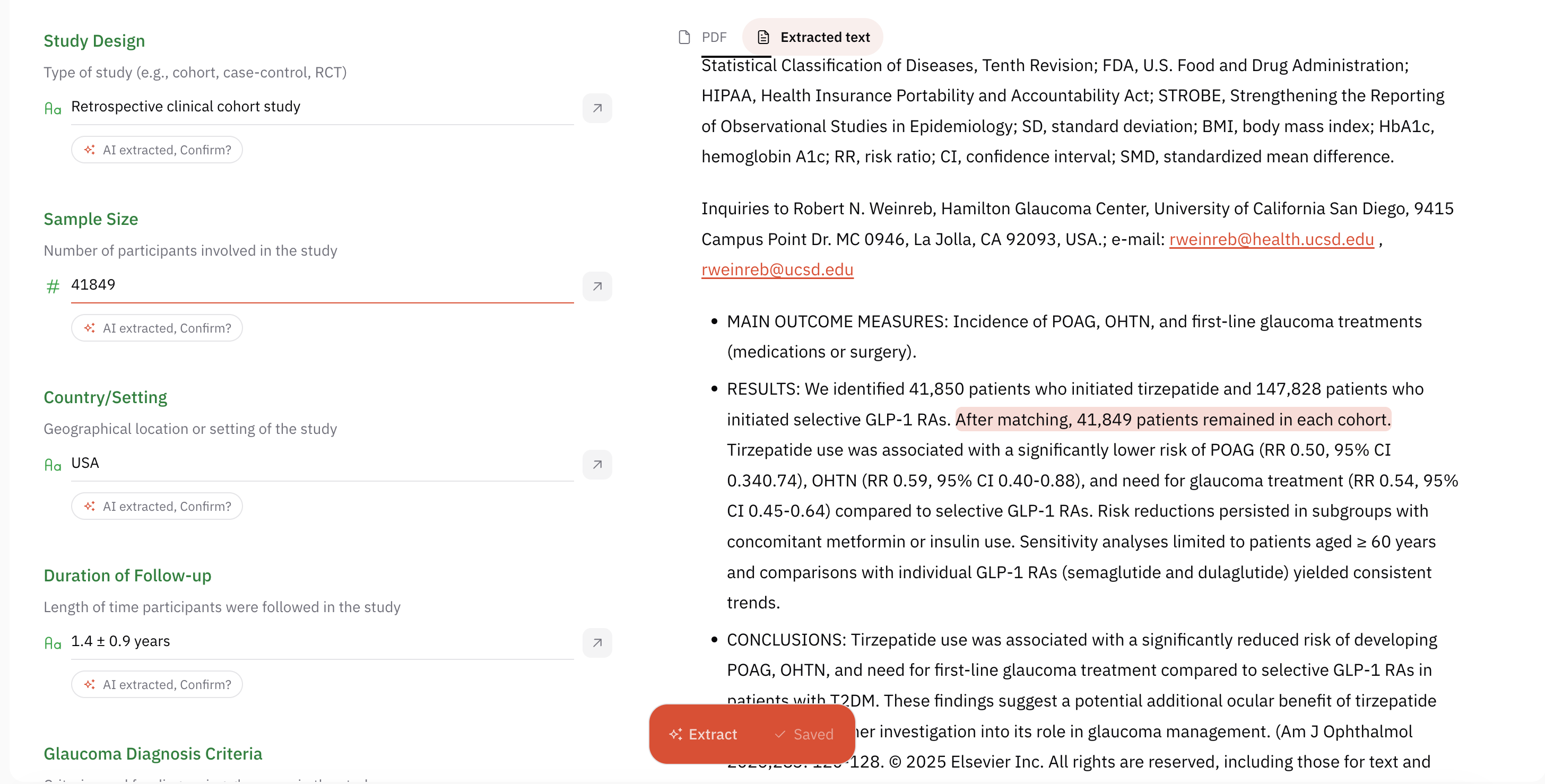
AIPRA can accelerate extraction by proposing values for many fields directly from the full text. Where it fills a field, it can attach an exact quotation or pointer to the passage the value came from so reviewers can verify quickly and keep the audit trail clear.
Human review remains essential: you should treat machine-filled entries as drafts to confirm against the source, especially for outcomes, numbers, and nuanced design features.
Frequently asked questions
What data should you extract in a systematic review?
Extract whatever your synthesis and reporting require: study identifiers, design, population characteristics, intervention or exposure details, comparators, outcome definitions, numeric results with measures of precision, follow-up duration, and risk-of-bias items. If a field will not feed analysis or reporting, it usually should not be extracted.
Should two reviewers extract data independently?
Dual independent extraction with a reconciliation step is the accepted quality standard, because single extraction is error-prone for numeric outcomes. Some teams extract in duplicate for all fields, others for high-risk fields only, and the approach should be prespecified.
Can AI extract data from full-text articles?
AI can propose values for many fields directly from full text, which reduces manual transcription. The important safeguard is traceability: each machine-filled value should be linked to the exact passage it came from, and a human should confirm it against the source before it enters analysis.
How to cite this chapter
AIPRA. Data extraction for systematic reviews: fields, full text, and verification. In: The Systematic Review E-book. Updated 2026-09-05.
A plain-text version of this chapter is available at /systematic-review-ebook/extraction.md.